
AI Matching
See why a role fits you.
See how your skills and work experience connect to a role, what may be missing and which practical requirements need a closer look.
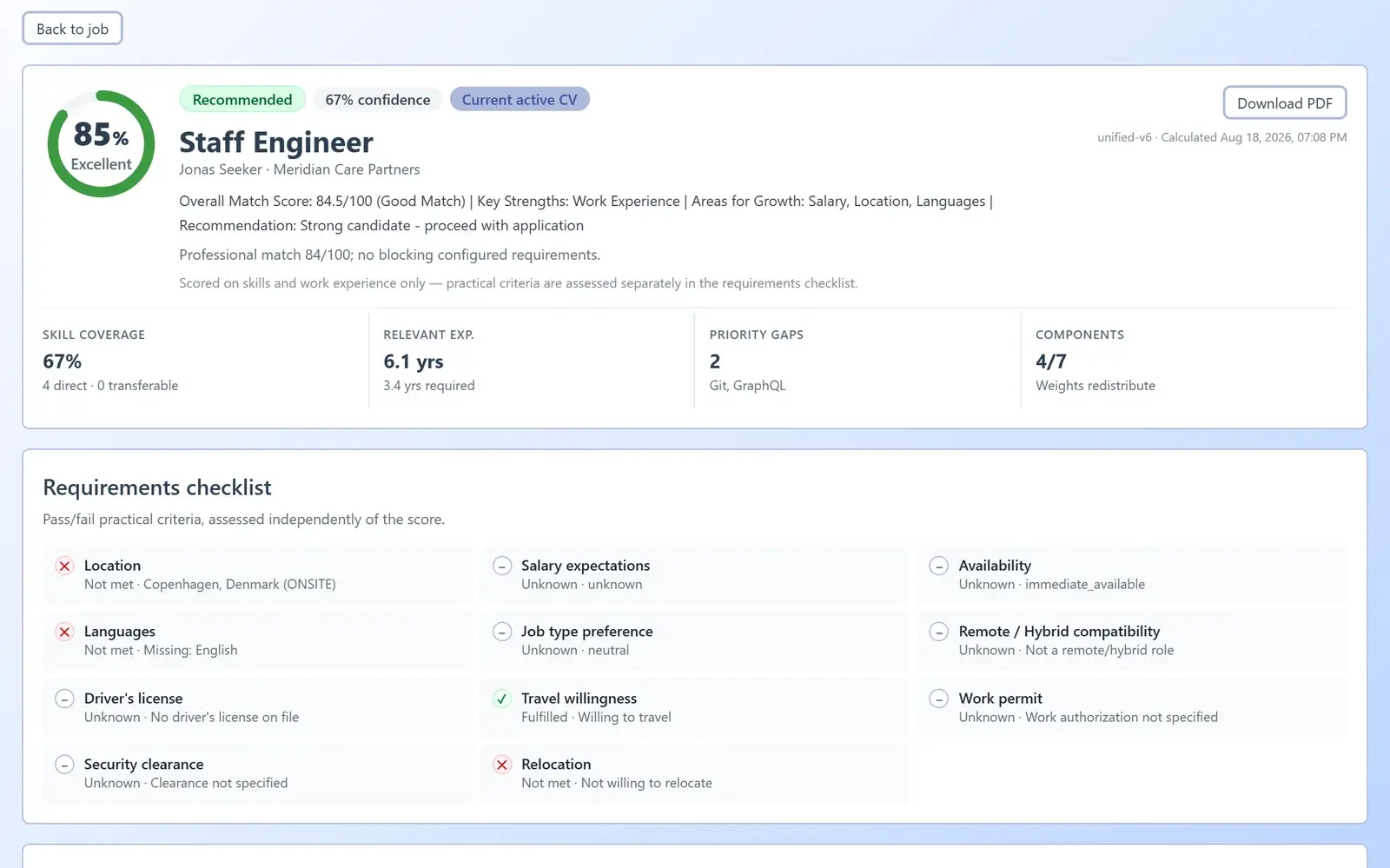
AiQlick product screens · Demonstration data, no real people
How a match is built.
Role requirements
The skills, experience and practical requirements of the opening.
Candidate profile
The skills and work experience recorded in the profile and active CV.
Relevance + requirements
Review skills and experience alongside a separate practical checklist.
Evidence + next step
See the reasons, identify gaps and decide what to clarify next.
The reasons behind a recommendation
Reading a match.
Start with the relevance overview, then look at the evidence. Skills and work experience explain relevance; practical requirements show what needs a closer look.
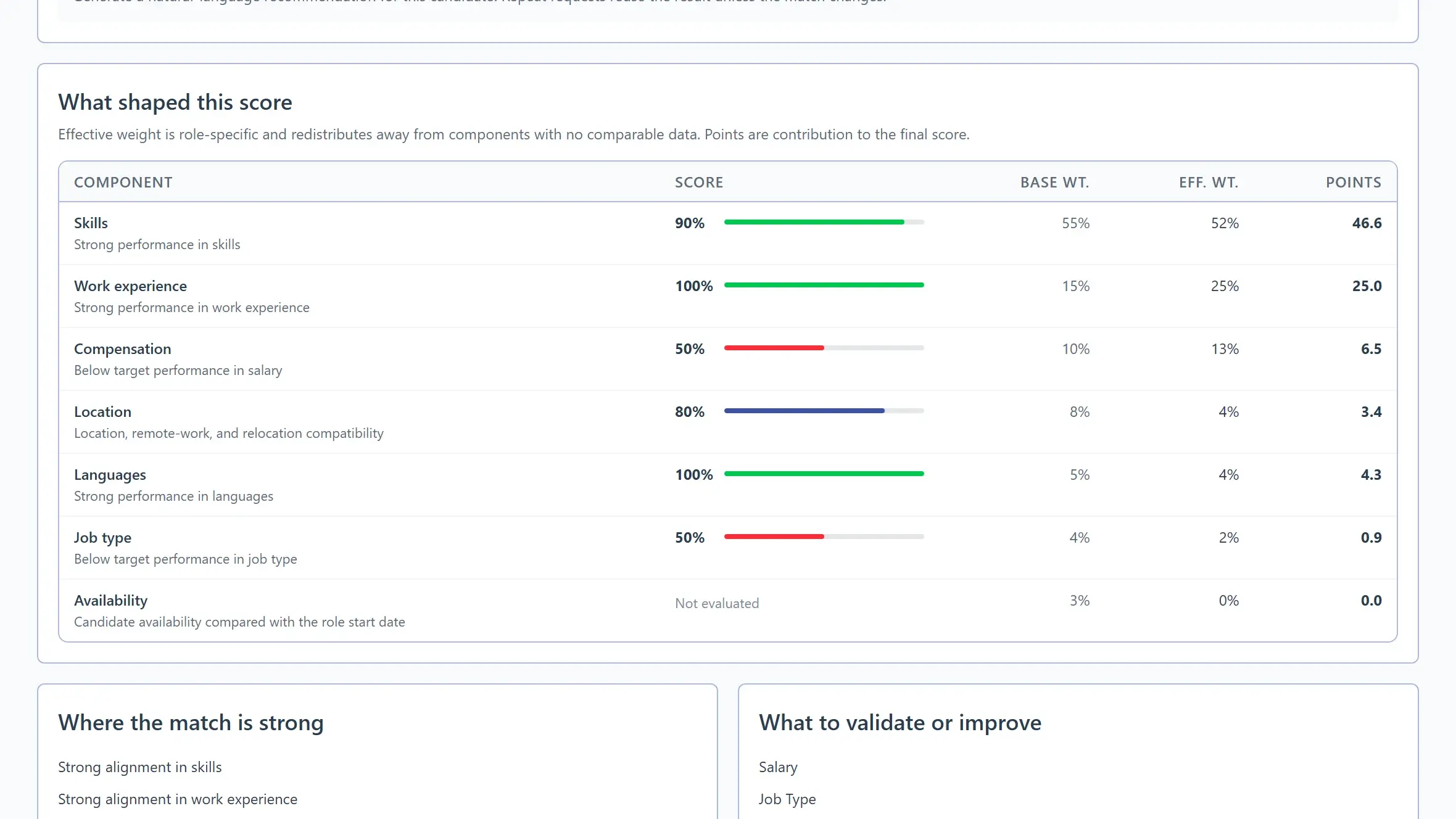
AiQlick product screens · Demonstration data, no real people
What you control
Improve your profile.
Keep your skills and work experience up to date. AiQlick shows what a role asks for that your profile does not cover yet.
Build your profileRole requirements
Senior Product Designer · Nordic Labs
- UX researchMatched
- Design systemsMatched
- Accessibility testingNot in your profile yet
- Professional EnglishMatched
Only add this if it reflects your real experience.
Your next chapter
Start with your profile.
Add your skills and work experience, then explore roles with the evidence in view.