
AI Matching
Know why a candidate is recommended.
Connect role requirements with skills and work experience. Review the reasons behind a recommendation, with practical requirements kept clearly in view.
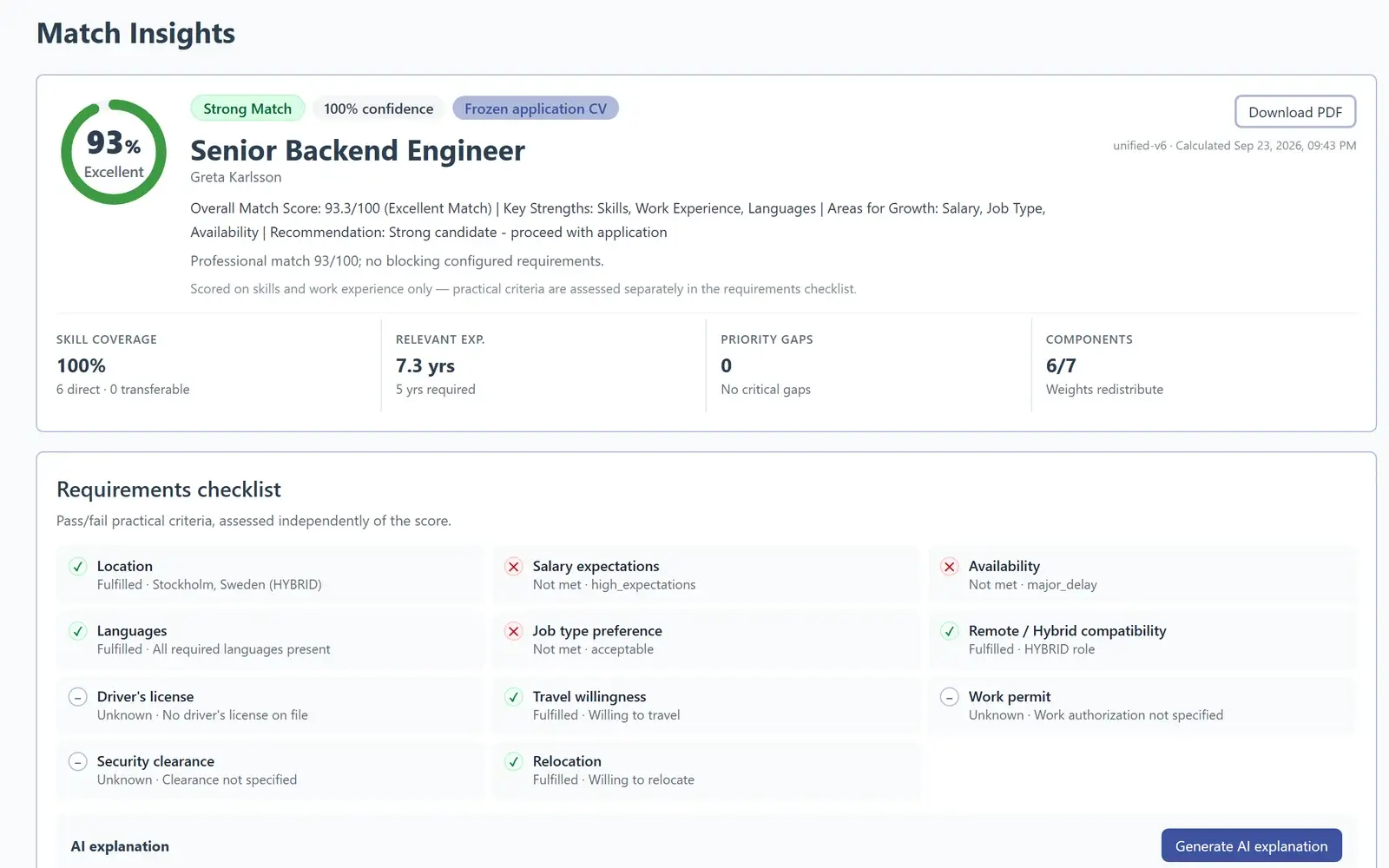
AiQlick product screens · Demonstration data, no real people
How a match is built.
Role requirements
The skills, experience and practical requirements of the opening.
Candidate profile
The skills and work experience recorded in the profile and active CV.
Relevance + requirements
Review skills and experience alongside a separate practical checklist.
Evidence + next step
See the reasons, identify gaps and decide what to clarify next.
The reasons behind a recommendation
Reading a match.
Start with the relevance overview, then look at the evidence. Skills and work experience explain relevance; practical requirements show what needs a closer look.
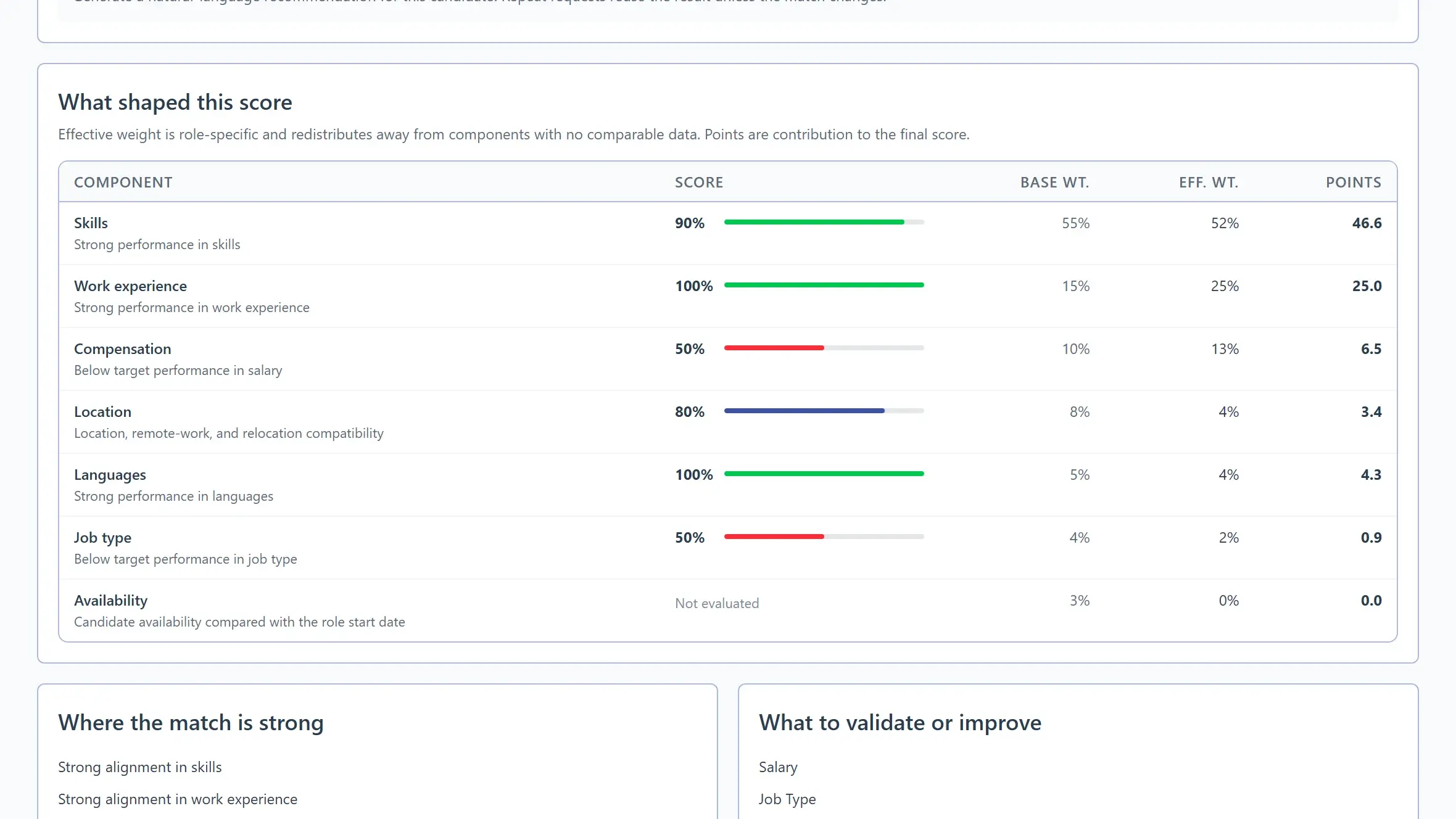
AiQlick product screens · Demonstration data, no real people
What you control
You decide what matters.
Define the role requirements, identify what matters most and review the evidence behind each recommendation. AiQlick supports the decision; your team makes it.
See the workflowDefine the requirements
Describe the skills and work experience the role calls for.
Review the recommendation
Read the evidence and identify gaps to clarify.
Make the decision together
Discuss practical requirements before moving forward.
Your next chapter
See matching in your hiring workflow.
Book a demo to explore candidate recommendations, practical requirements and the evidence behind them.