
Platform features
One workspace for the work behind hiring.
Bring in roles and CVs, hold interviews and work with clients and partners, with everything connected to the role.
Four areas, one workspace.
Select an area to see what it covers, and try a short example.
Turn a job ad into a ranked, reviewable shortlist.
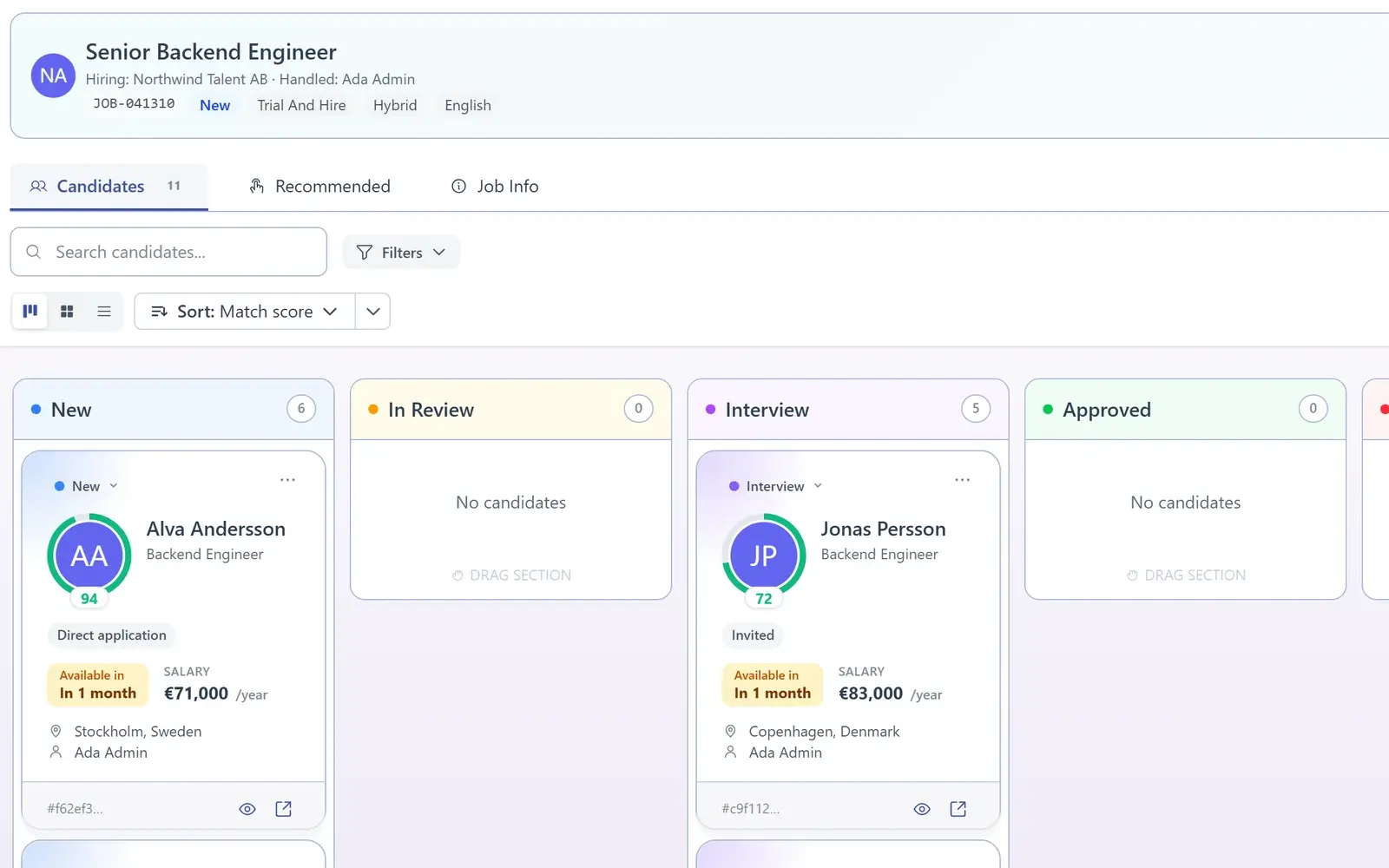
What it covers
- Bring in a job ad as a file, pasted text or a link
- Review the requirements AiQlick suggests and mark the must-haves
- Match applicants and your talent database to the role, with the reasons shown
- Move candidates across the applicant board, from New to Approved
- Ask the assistant about your pipeline, in plain words
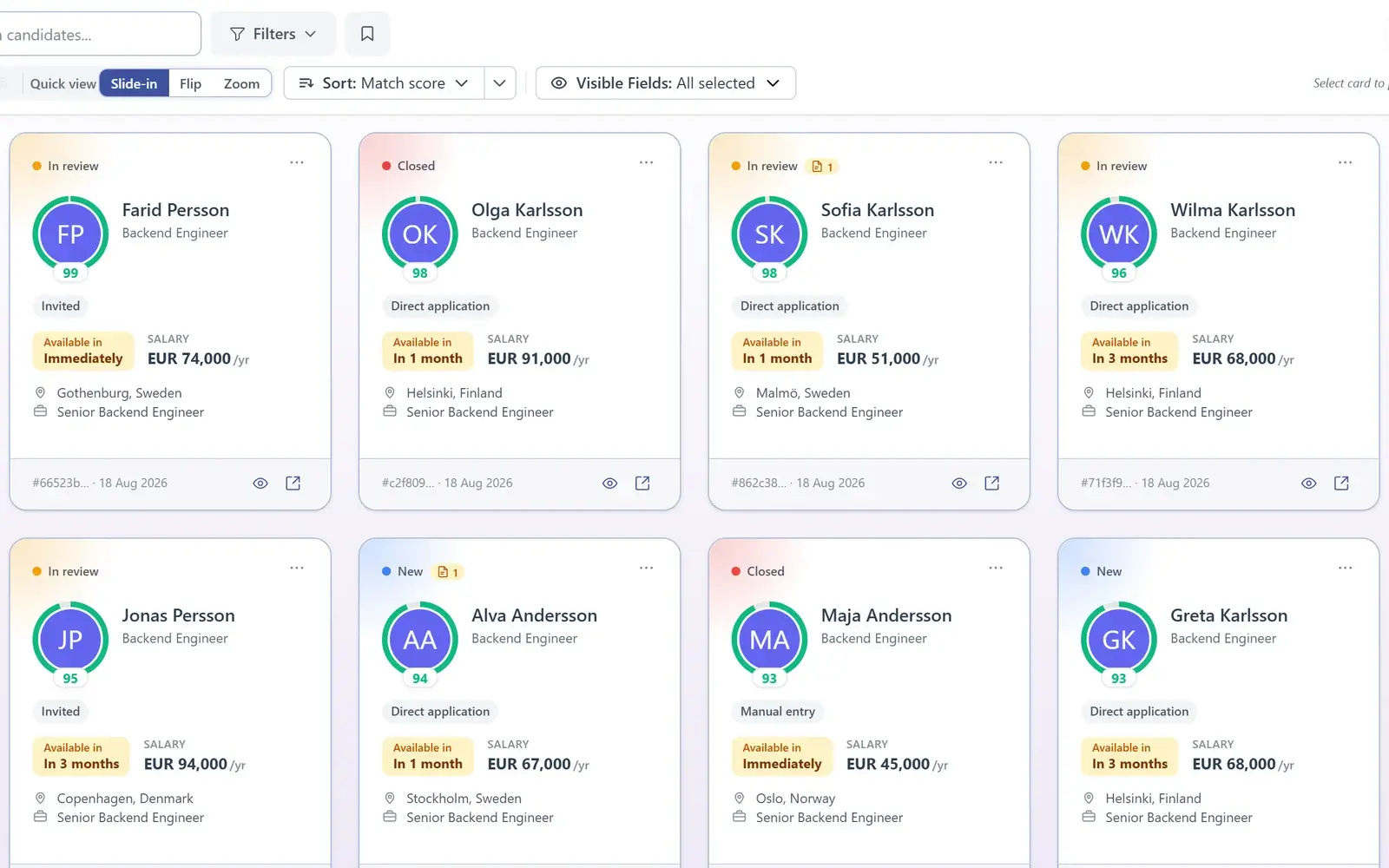
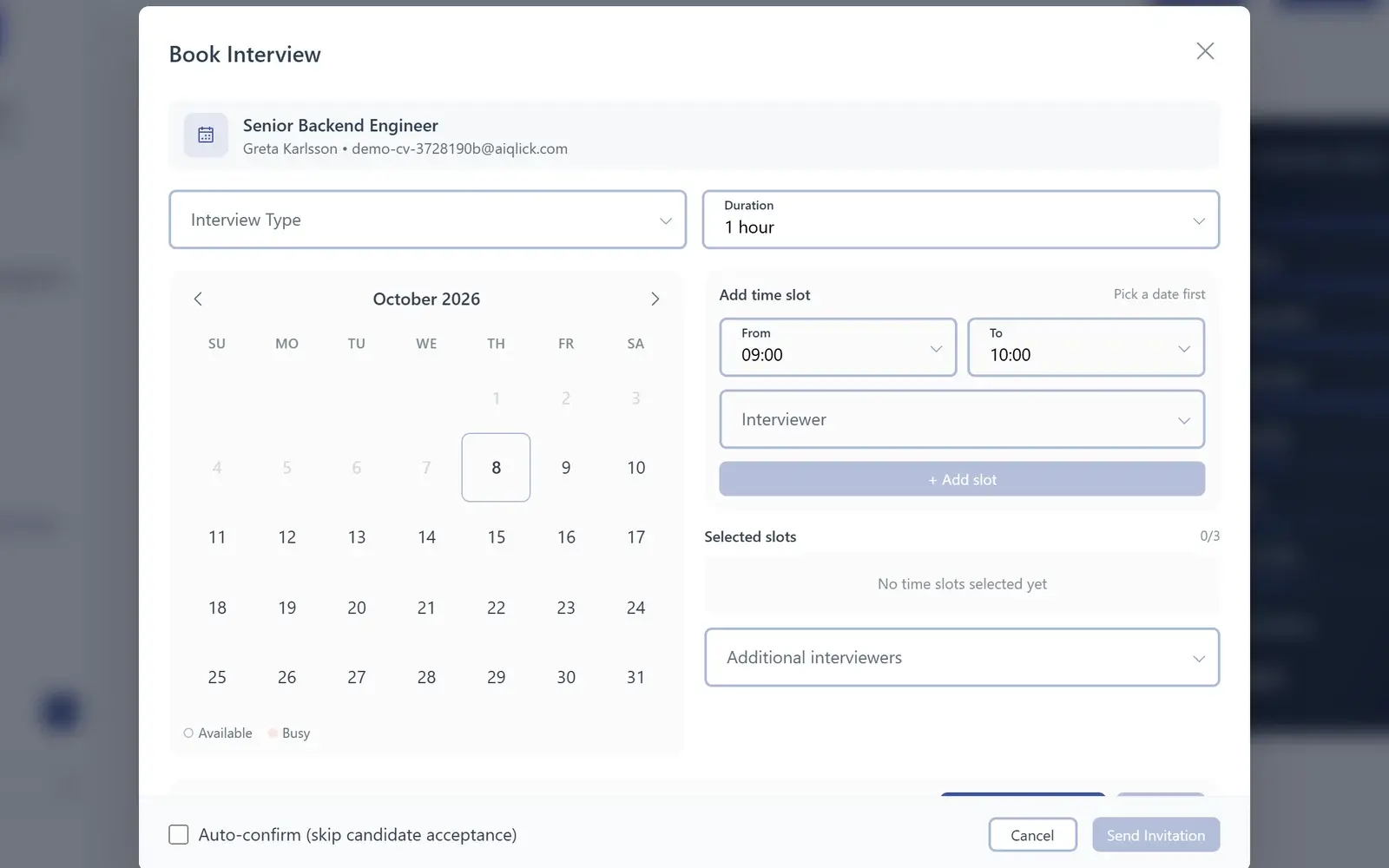
AiQlick product screens with demonstration data · Some views are illustrative.
Questions about the workspace
Can we bring in several CVs at once?
Yes. You can upload several CVs together, and CVs emailed to your company address arrive as drafts for you to review. AiQlick extracts the experience, education, skills and languages into profiles you can reuse.
How do interviews work?
You offer interview times, the candidate chooses one, and the interview takes place in AiQlick. Afterwards, your team reviews the meeting summary together, alongside the candidate and the role.
Who can see our data?
Roles and permissions decide what each person on your team can see and do. When you share a talent list with a client or partner, you choose their access, and the activity history shows who opened or changed it. Job seekers stay in control of whether a company keeps a copy of their CV.
Still have questions? Contact us
Your next chapter
Walk through the workflow with us.
Book a demo to see structured profiles, shortlists, your pipeline and team collaboration in practice.